Choosing a cloud phone system now means comparing much more than call quality. U.S. businesses also need to consider pricing, integrations, emergency calling, texting rules, security, and internet reliability. This guide explains those trade-offs so you can shortlist providers with fewer surprises.
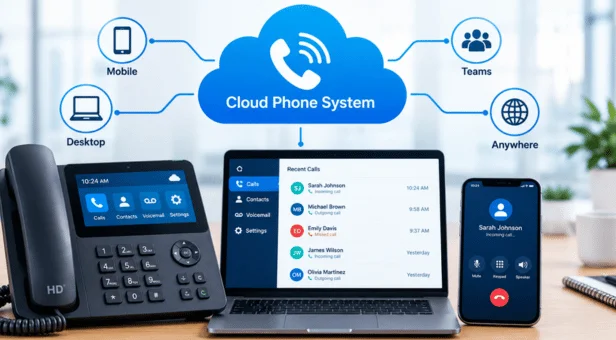
A cloud phone system routes business calls through internet-hosted software instead of an on-site PBX. Employees can answer from desk phones, computers, or mobile apps. Most services also add call routing, voicemail, texting, analytics, and integrations, while the provider manages core infrastructure.
| What to evaluate | What U.S. businesses should check |
|---|---|
| Typical pricing | Often about $10–$60 per user monthly, depending on features and fees |
| Calling | Domestic calling allowances, international rates, toll-free minutes |
| Devices | Desktop apps, mobile apps, browsers, and supported desk phones |
| Call management | Auto attendant, queues, transfers, extensions, and routing |
| Reliability | Uptime terms, failover options, broadband needs, support |
| Integrations | CRM, help desk, productivity, and collaboration tools |
| U.S. requirements | E911 configuration and business-text registration |
| Migration | Number porting, training, setup support, and contract terms |
Current industry guides show broad pricing differences across service levels. Recent sources place many small-business plans between roughly $10 and $60 per user monthly. Advanced analytics, AI features, international calling, hardware, and support can increase the final bill.
Key Takeaways
- Cloud calling removes much of the on-site PBX hardware businesses once maintained.
- Most services combine calling with routing, voicemail, mobile access, texting, and analytics.
- U.S. buyers should review E911 configuration before rolling service out to employees.
- Companies using business texting should ask how the provider handles A2P 10DLC registration.
- The lowest advertised seat price may not reflect taxes, hardware, add-ons, or support.
- A provider should fit your workflow, internet environment, call volume, and growth plans.
What Is a Cloud Phone System?
A cloud phone system is a hosted business calling service that uses an internet connection. The service provider operates the main calling infrastructure outside your office. Your company manages users, numbers, routing, and settings through software.
The underlying calling technology is usually Voice over Internet Protocol, commonly called VoIP. VoIP describes how voice travels through internet networks instead of traditional copper lines. Cloud telephony adds hosted management, routing, applications, administration, and other business functions around that technology.
This model can suit companies already moving other operations online. Marketinic covers similar shifts in its discussion of cloud-based business accounting. Both approaches replace locally managed infrastructure with services employees can access from several devices.
How Cloud Business Calling Works
When an employee makes a call, the service converts voice into digital data. That data travels through the business internet connection to the provider’s infrastructure. The provider then connects the call with its destination.
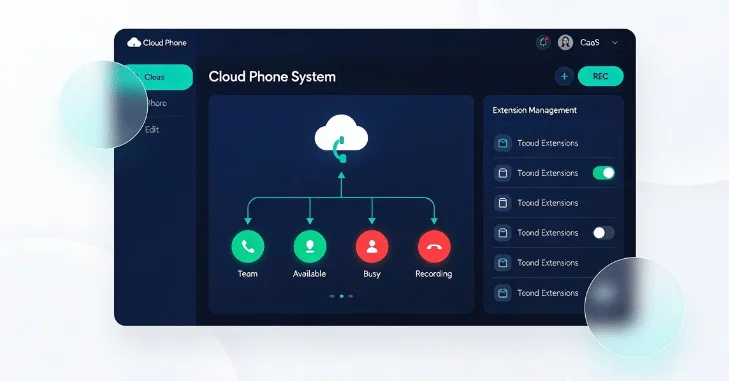
Incoming calls follow the process in reverse. Software rules determine which employee, queue, voicemail box, or department receives each call. Administrators can usually change those rules through an online control panel.
Employees are not always tied to physical desk phones. Many platforms support computers, mobile applications, browsers, and compatible IP phones. That flexibility makes hosted calling practical for office, hybrid, and distributed teams.
Why Businesses Move Calling to the Cloud
One major benefit is easier expansion. Adding an employee can involve assigning a license and extension instead of installing another physical line. Multi-location companies can also manage several offices through one administrative platform.
Remote access is another practical advantage. Employees can use their business identity without publishing a personal mobile number. Calls can follow the employee across supported devices and locations.
Management can become simpler as well. Features such as auto attendants, call queues, voicemail transcription, recordings, and reporting are controlled through software. Businesses can also connect communications with other applications where supported.
This approach follows the same broader technology pattern affecting storage and other IT systems. Marketinic’s guide to enterprise-level file archiving for small businesses shows how smaller companies increasingly use centrally managed services once associated with larger organizations.
How Much Does Cloud Business Calling Cost?
For U.S. small businesses, current published estimates commonly span about $10 to $60 per user monthly. The range changes according to calling allowances, administration tools, analytics, integrations, AI functions, and support. Provider discounts may also depend on annual billing or user volume.
Taxes and communications fees can also change the effective monthly cost. For example, Zoom notes that its U.S. phone customers can face Federal USF charges and other applicable assessments. Buyers should therefore compare final quotes rather than headline license prices.
A useful quote formula is simple:
Monthly cost = licenses + phone numbers + hardware + add-ons + usage + taxes and regulatory fees
For example, ten $20 licenses create a $200 base subscription. That number does not automatically include phones, international usage, premium support, or optional features. Request an itemized estimate before comparing competing offers.
Cloud Calling vs. Traditional PBX
Traditional PBX systems and hosted services solve many of the same calling problems. Their infrastructure and maintenance models differ significantly. The table below highlights the practical differences.
| Factor | Cloud-based service | Traditional on-site PBX |
|---|---|---|
| Core infrastructure | Hosted by provider | Installed at business location |
| Upfront hardware | Usually lower | Usually higher |
| Remote access | Common through apps | Often needs extra configuration |
| Expansion | Add users through software. | May require hardware changes |
| Maintenance | The provider handles the core platform. | The business maintains a local system. |
| Internet dependence | High | Depends on configuration |
| Updates | Usually provider-managed | Often requires local maintenance |
| Multi-site management | Usually centralized | Can be more complex |
Cloud service does not eliminate every technical responsibility. Your internet connection, local network, devices, security settings, and emergency locations still matter. A weak local network can affect even a well-designed hosted service.
Features Worth Paying For
Start with features that affect how customers reach your company. Auto attendants can route callers without requiring a receptionist for every call. Queues, ring groups, transfers, and business-hours rules also help prevent missed calls.
Next, consider employee mobility and administration. Mobile and desktop applications can keep remote staff connected to the company number. Central dashboards also help managers add users, review call activity, and change routing.
Integrations deserve careful attention. A sales team may need calls logged inside its CRM. A support department may prefer connections with ticketing software.
Buyers should also evaluate whether AI tools solve a real problem. Current platforms increasingly offer transcription, summaries, coaching, or automated call handling. These tools can help, but they may sit behind higher-priced plans or separate add-ons.
Its small-business resources also cover operational tools and growth decisions.
U.S. Emergency Calling Deserves Special Attention
Business buyers should ask specifically about 911 and employee location management. The FCC requires interconnected VoIP providers to support enhanced 911 capabilities. Federal rules also address dispatchable locations for applicable businesses and cloud-based multi-line telephone environments.
This matters more when employees change locations. A remote worker may place calls from a home office, branch, hotel, or other site. Your deployment process should explain how emergency-location information gets maintained.
Ask each provider how administrators manage E911 locations. Also ask what happens when users work away from their registered location. The answer should be clear before company-wide deployment.
Business Texting Has Its Own U.S. Requirements
Many hosted business services include SMS or MMS alongside voice calling. U.S. business messaging over standard ten-digit numbers can involve A2P 10DLC registration. That process identifies the business and its messaging use case to participating carriers.
Registration can affect both deployment timing and cost. Requirements can vary by business type, messaging volume, provider, and campaign. Buyers planning customer texting should raise this issue during vendor evaluation.
Ask whether the provider manages registration inside its onboarding process. Confirm any registration, campaign, or message fees before signing. You should also understand opt-in and messaging policies that apply to your intended use.
Reliability Depends on More Than the Provider
Cloud calling relies on network connectivity, so local internet quality remains important. Packet loss, congestion, wireless interference, or outages can affect voice performance. Your provider cannot fix every problem inside your local network.
A useful evaluation should include both service reliability and business continuity. Ask about mobile failover, automatic forwarding, redundant internet connections, and outage procedures. Businesses with critical inbound calls may need more than one connectivity path.
Also examine support hours and escalation procedures. A low monthly price becomes less attractive when urgent issues wait until the next business day. Match support coverage to the importance of your phone operations.
How to Choose a Provider Without Comparing the Wrong Numbers
A structured buying process prevents attractive headline prices from controlling the decision. Compare providers against the same requirements and expected call volume. Use one worksheet for every vendor.
- Count users and locations. Record employees, shared phones, offices, remote workers, and conference areas.
- Map your call flow. Document greetings, departments, queues, forwarding rules, and after-hours handling.
- List required integrations. Include your CRM, help desk, productivity platform, and identity tools.
- Check number portability. Confirm which existing business numbers can move and how long porting usually takes.
- Review emergency calling. Define how fixed, hybrid, and remote users will maintain accurate location information.
- Plan business texting. Ask about A2P 10DLC registration if employees will message U.S. customers.
- Normalize every quote. Compare licenses, hardware, add-ons, usage, support, taxes, and contract length.
Run a small pilot before a larger migration when possible. Include employees who handle customer calls and remote work. Their experience can reveal routing, headset, mobile, or workflow problems before full deployment.
Common Mistakes to Avoid
The first mistake is shopping by seat price alone. Cheap entry plans may exclude reporting, integrations, queues, support, or required calling features. Compare the complete monthly cost for the configuration your company will use.
Another mistake is ignoring local network conditions. A business can buy a capable service and still experience poor calls through congested Wi-Fi. Test wired connections, wireless coverage, and internet capacity before migration.
Businesses also overlook change management. Staff need clear instructions for transfers, mobile applications, voicemail, emergency calling, and new messaging tools. Short training sessions can prevent avoidable frustration during the first weeks.
Frequently Asked Questions
Is a cloud phone system secure?
A cloud phone system can provide strong security when the provider and customer configure it carefully. Review encryption, account permissions, administrator controls, authentication, data retention, and security documentation. Regulated companies should also confirm whether available controls support their specific compliance obligations.
Can I keep my existing business phone numbers?
Many hosted providers support number porting from an existing carrier. Eligibility can depend on the number, current carrier, account information, and service area. Confirm portability before canceling the existing service or changing your current account.
How much internet bandwidth does cloud calling need?
Actual requirements depend on the codec, provider, call volume, and other network traffic. Zoom gives about 100 Kbps per concurrent call as a general planning guideline. Businesses should also consider latency, packet loss, jitter, and network congestion rather than bandwidth alone.
Do employees need physical desk phones?
Not always. Many platforms let employees call through desktop software, mobile applications, or browsers. Physical IP phones remain useful for reception desks, shared spaces, executives, and employees who prefer dedicated hardware.
Is VoIP the same as cloud telephony?
No. VoIP is the technology used to transmit voice through internet networks. Cloud telephony is the hosted service model that combines VoIP with business calling and management features.
Make the Decision Around Your Actual Call Flow
The right business calling platform should fit how employees and customers already communicate. Start with required call flows, integrations, locations, security needs, and expected growth. Then compare total costs and implementation requirements across providers.
Do not treat migration as a simple license purchase. Test number porting, emergency locations, texting requirements, failover, mobile access, and support before committing broadly. A careful comparison can produce a service that remains practical as your company grows.